
04
Evidence extracted as quotes
Findings are captured as exact quotes — from the full-text PDF where it can be read, otherwise from the abstract — and every one is labelled full-text quote or abstract only, so you know how deep the evidence goes.
AI Survey · Review workflow
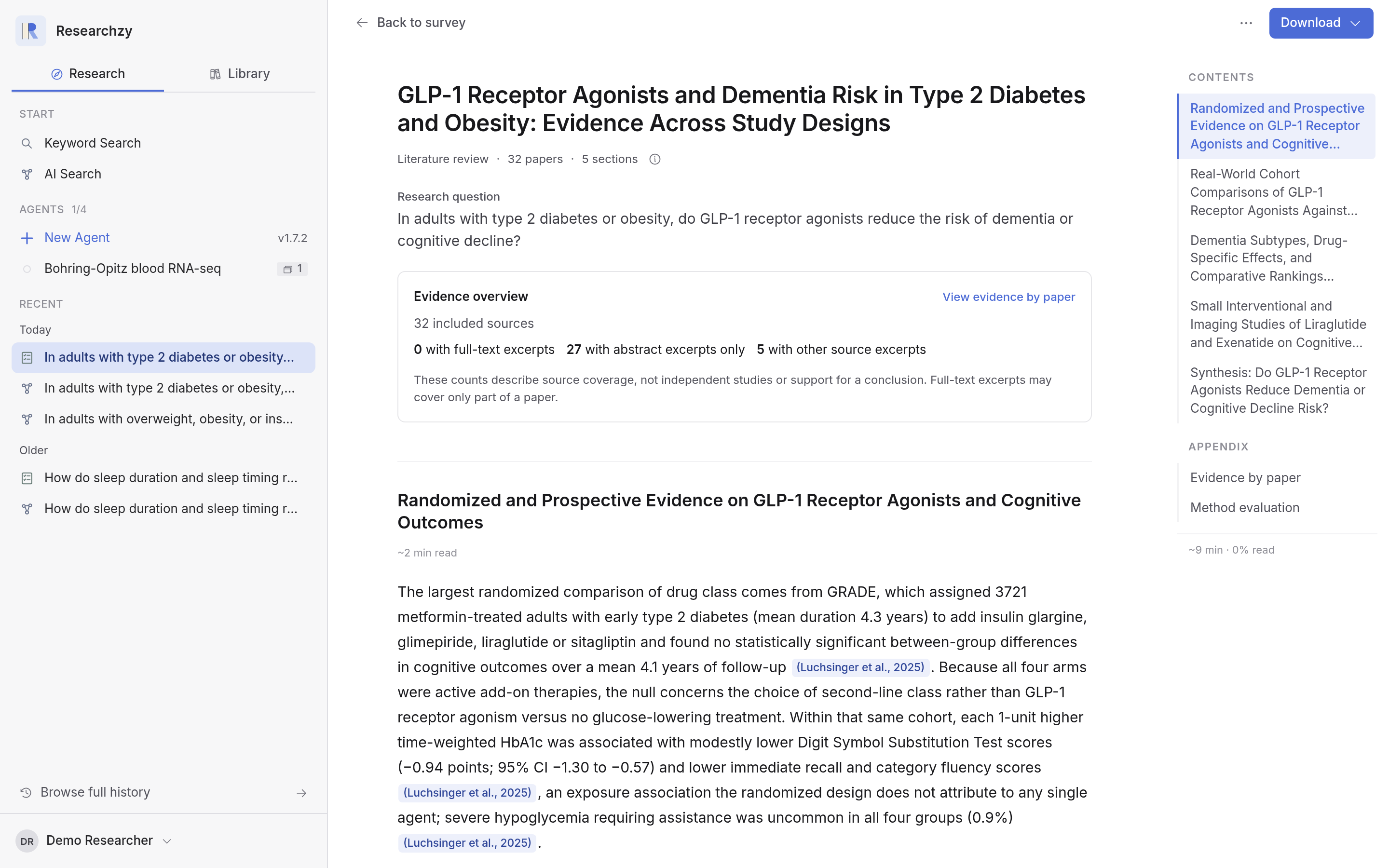
AI Survey turns the papers AI Search found into a literature review: it selects the key studies, extracts findings as quotes, and writes a cited report you can edit and export — with the evidence behind every section.
01
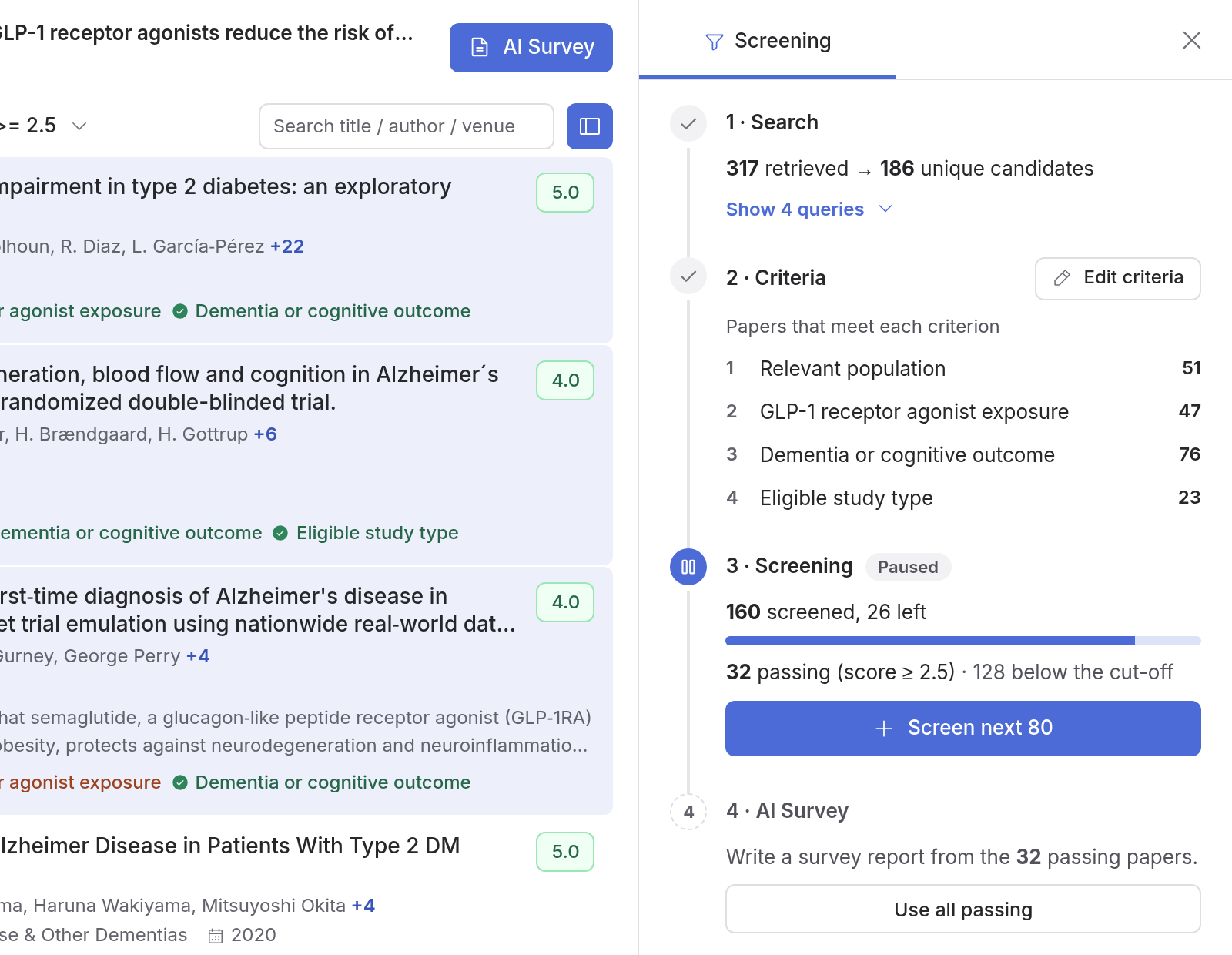
Run AI Search on your research question. It finds candidate papers and screens them against criteria drawn from your question. Then choose which papers the review is built on:
02
An AI Survey is a saved run, not a single request. It keeps working in the background, shows its progress stage by stage, and waits in your history until you come back. If a stage fails, retry it without starting over.
03
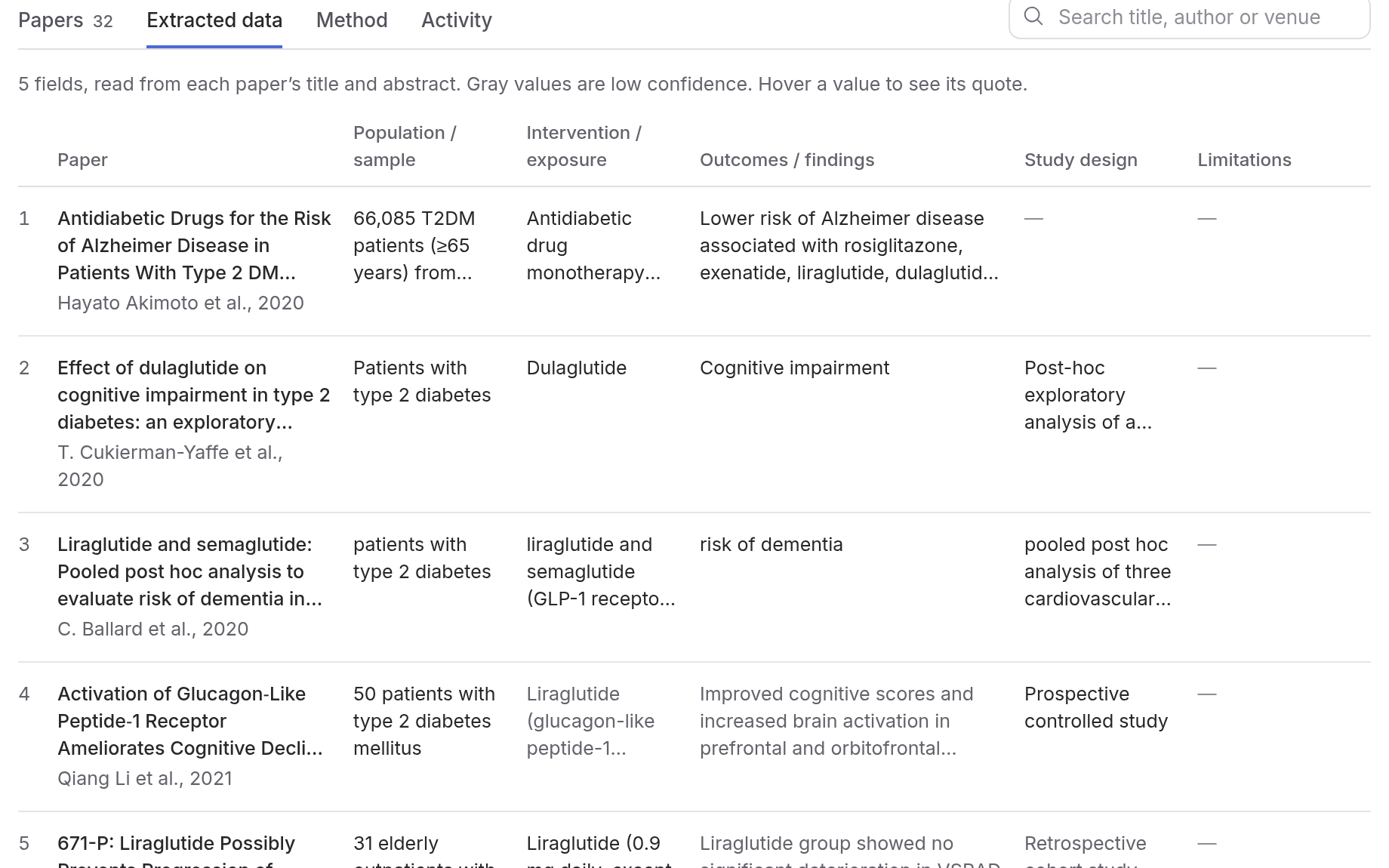
Every selected study becomes a row: population, intervention or exposure, outcomes, study design, and limitations. Hover a value to see the quote it came from, and low-confidence values are marked.
04
Findings are captured as exact quotes — from the full-text PDF where it can be read, otherwise from the abstract — and every one is labelled full-text quote or abstract only, so you know how deep the evidence goes.
05
The report cites studies author–year with a numbered reference list, and hovering a citation shows its source. Improve any section — rewrite, shorten, expand, or shift to an academic tone — insert, move, or delete sections, and compare your edits with the original.
06
Download the report as DOCX, Markdown, or PDF. Export the evidence table, the structured extraction, and a PRISMA-style flow of the screening as CSV, and a protocol scaffold as Markdown.
Why you can check the draft
The report is written from exact quotes extracted from real papers, each labelled with where it came from.
Claims are checked against the extracted quotes. Evidence-strength badges and a quality audit show where support is strong and where it is limited.
Review checkpoints come before export. Until you approve them, exports are labelled an AI Survey scaffold rather than a reviewed draft.
Free to start. Nothing to install.